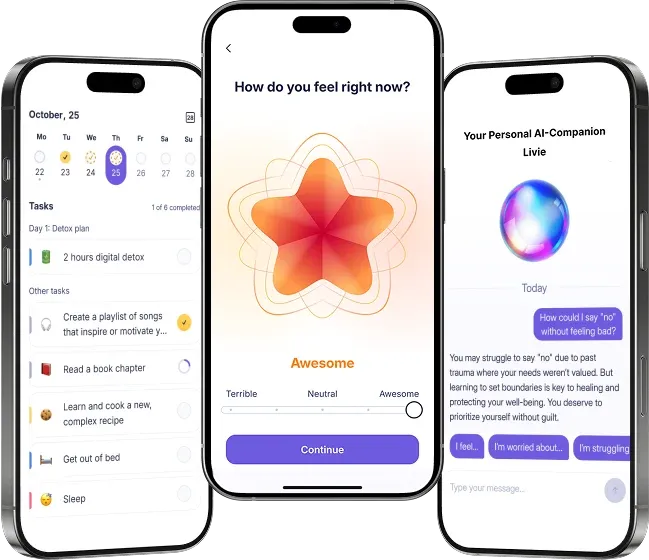
We’re thrilled to share that the Liven App is available worldwide, making it easier than ever to prioritize your mental health, no matter where you are. Whether you’re an Android or iOS user, downloading the app is quick and simple.
For those who prefer using a computer or don’t want to download an app, we’ve also launched our web version for seamless access across all platforms. Below, we’ve provided a step-by-step guide to help you get started, along with direct links to the App Store, Google Play Store, and our web platform.
Step-by-Step Guide to Download the Liven App
For iOS Users (iPhone/iPad):
-
Open the App Store on your device.
-
In the search bar, type “Liven” and press enter.
-
Look for the Liven Wellbeing app icon (you can also use the direct link below).
-
Tap the “Get” button to download and install the app.
-
Once installed, open the app, log in to your account, and start your mental health journey!
👉 Download for iOS: Liven Wellbeing on the App Store
For Android Users:
-
Open the Google Play Store on your device.
-
In the search bar, type “Liven” and press enter.
-
Look for the Liven Wellbeing app icon (or use the direct link below).
-
Tap the “Install” button to download and install the app.
-
Once installed, open the app, log in, and begin exploring the tools designed to support your well-being.
👉 Download for Android: Liven Wellbeing on Google Play
How to Access the Web Version?
Prefer using your laptop or desktop? No problem! The Liven web version is here to provide the same great experience without the need to download an app. More information about the Web version is here - Liven on the Web
Here’s how to access it:
-
Open your preferred web browser (Chrome, Safari, Edge, etc.).
-
Go to theliven.com.
-
Sign up or log in using your existing Liven account.
Get Started Today!
Whether you prefer the convenience of the app or the flexibility of the web version, Liven Wellbeing is here to support your mental health journey. Download the app or visit theliven.com to start your path to better mental health today.
You can also be interested in: How Can I Change My Liven Password?, How Do I Switch Languages in the Liven App?, I Made A Typo In Email: What To Do?